Comments, pinned right to the drawing
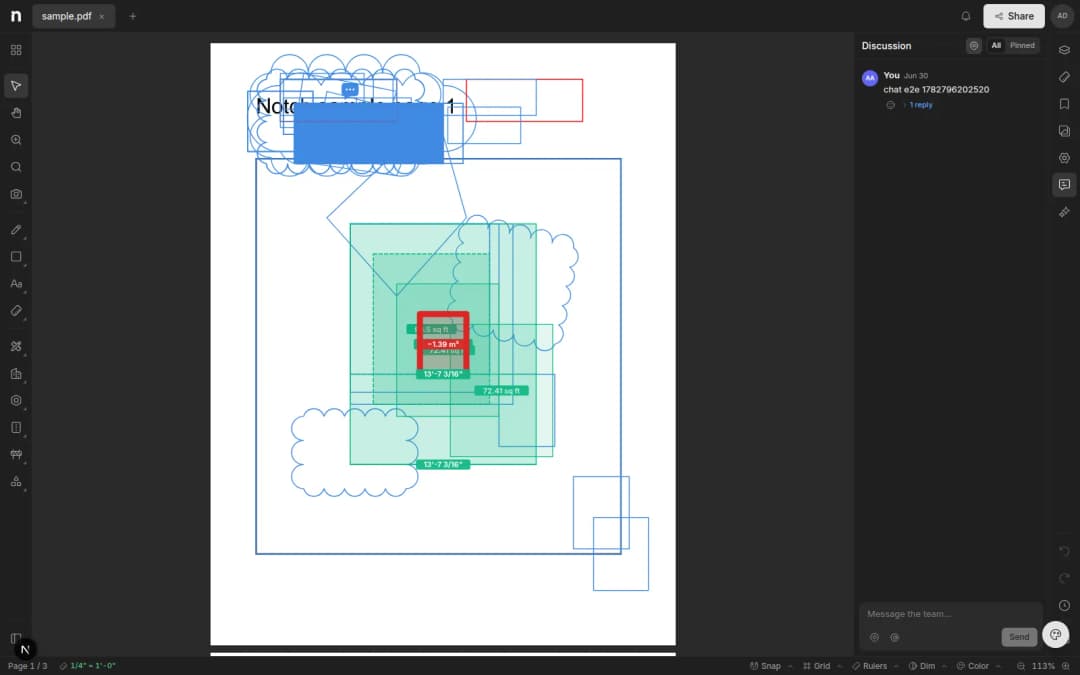
Pin a comment anywhere on a drawing to start a thread. One discussion feed, @mentions, and pins that stay put as you zoom.
- Written by
- Notch Team
- Published
Comments now sit on the drawing itself. Click anywhere on a sheet to start a thread that stays pinned to that spot, instead of describing the spot in an email.
Drop A Pin Anywhere
Click the drawing to place a comment pin and open a thread. The pin stays anchored to that point as you pan and zoom, so it's always attached to the detail you're asking about. If you put it down a little off, drag it.
One Feed Per Document
Every thread collects in the Discussion panel, ordered like a chat. Click a comment to fly the canvas to its pin, and resolve it once the question is settled.
Mentions
Type @ to pull in a teammate. They get a notification that opens the drawing on that pin — no forwarding, and no "which door did you mean".
Comments sit alongside your markups, so questions and RFIs live on the drawing rather than in someone's inbox.
Something missing, or something broken? hello@notch.build.
Notch is the modern cloud workspace for construction teams — markup, measure, compare and share, right in the browser. Start for free.
— The Notch Team