Manage pages right from the navigator
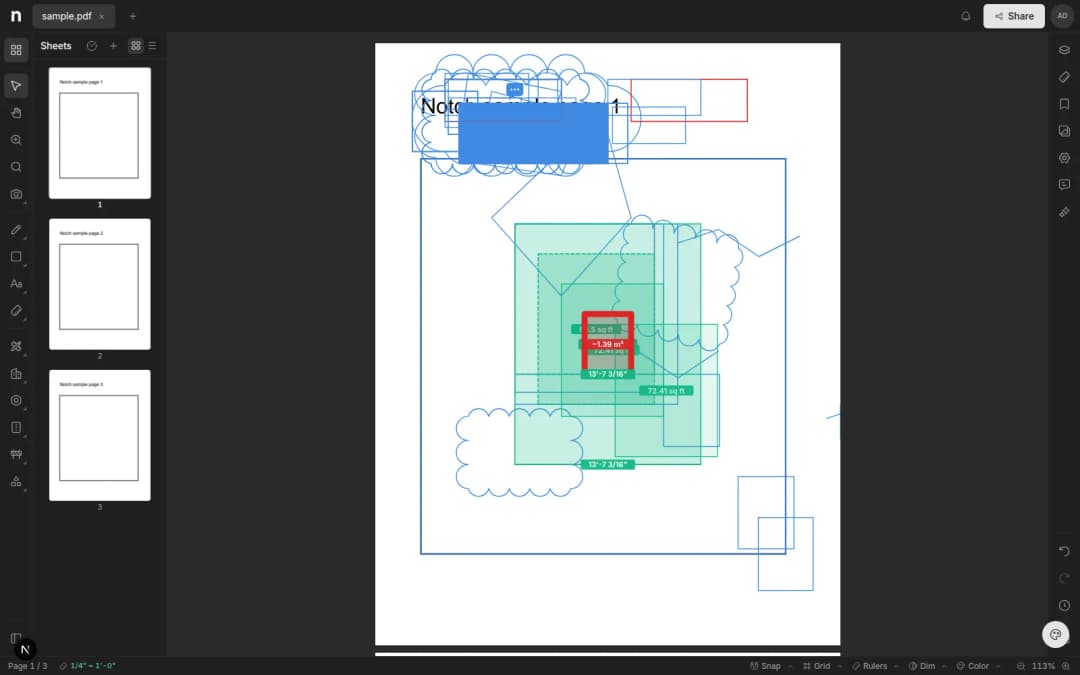
Insert, duplicate, reorder, rename, and rotate sheets right from the navigator — markups and measurements rotate with the page.
- Written by
- Notch Team
- Published
Sheet edits no longer need a second tool. Insert, duplicate, reorder, rename and rotate all happen in the sheet navigator now, without leaving the editor.
What You Can Do
- Insert new pages into an open set.
- Duplicate a sheet to try an alternative without touching the original.
- Reorder by dragging, and rename so the set reads the way your team talks about it.
- Rotate a sideways scan upright.
Markups Rotate With The Page
This is the part that usually goes wrong elsewhere. Rotate a page and every markup and measurement on it turns with the sheet, staying exactly where it was drawn. Nothing to reposition afterwards.
Something missing, or something broken? hello@notch.build.
Notch is the modern cloud workspace for construction teams — markup, measure, compare and share, right in the browser. Start for free.
— The Notch Team