Projects you can see into
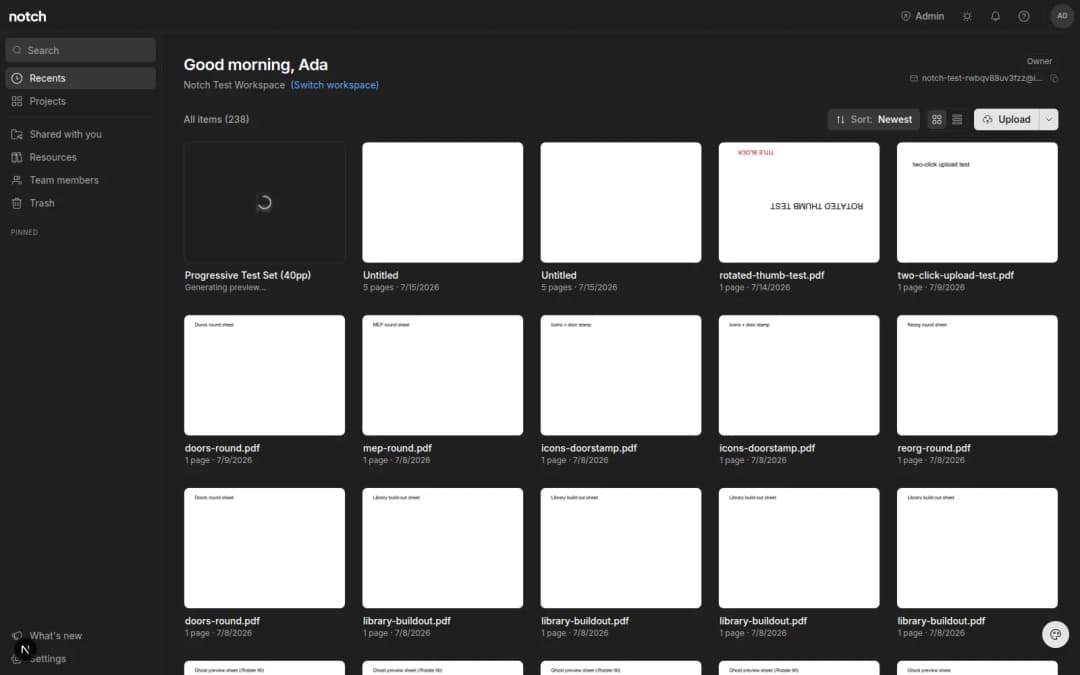
Drag a file onto a project to file it instantly, and folders now show preview squares of the drawings inside.
- Written by
- Notch Team
- Published
Two changes to projects this week, both about finding things faster in a workspace that has filled up.
Drag A File Onto A Project
Dragging a document onto a project files it there. No dialog, no move menu — it leaves your main view as soon as you drop it.
Projects Show What's Inside
Each project tile now carries small preview squares of the drawings it holds, so you can tell the site plans from the specs without opening anything.
Neither is a large change on its own. Together they're the difference between a forty-project workspace you can navigate and one you have to search.
Something missing, or something broken? hello@notch.build.
Notch is the modern cloud workspace for construction teams — markup, measure, compare and share, right in the browser. Start for free.
— The Notch Team