Revision compare, right in your browser
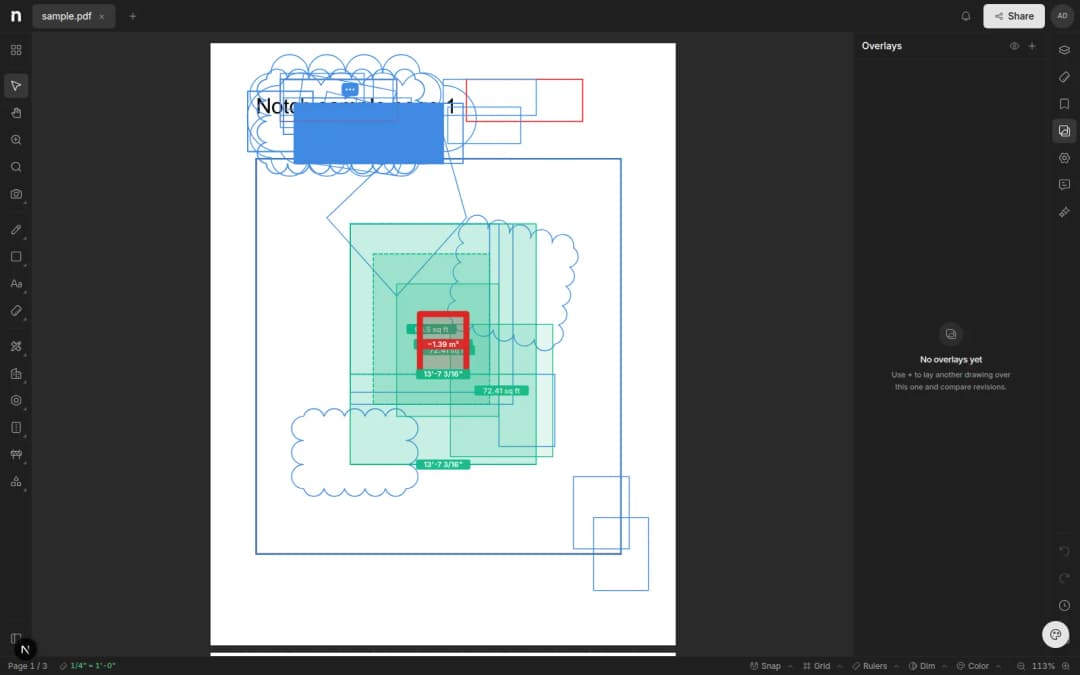
Compare two revisions of a sheet in your browser — additions and removals light up over the drawing. No desktop install, no 200 MB emails.
- Written by
- Notch Team
- Published
Notch can now compare two revisions of a sheet in the browser. Pick the revision to compare against and the differences light up over the drawing — additions in one colour, removals in another. Here's how it works.
Running A Compare
Open any sheet that has more than one revision and choose Compare from the toolbar, then pick the baseline. Notch aligns the two sheets and overlays the differences on the drawing you already have open. Pan and zoom as normal — the comparison follows.
No Round Trip
There's no plug-in, no desktop install and nothing to email around. If your browser can open the set, it can compare it.
Something missing, or something broken? hello@notch.build.
Notch is the modern cloud workspace for construction teams — markup, measure, compare and share, right in the browser. Start for free.
— The Notch Team