Smarter snapping for precise takeoffs
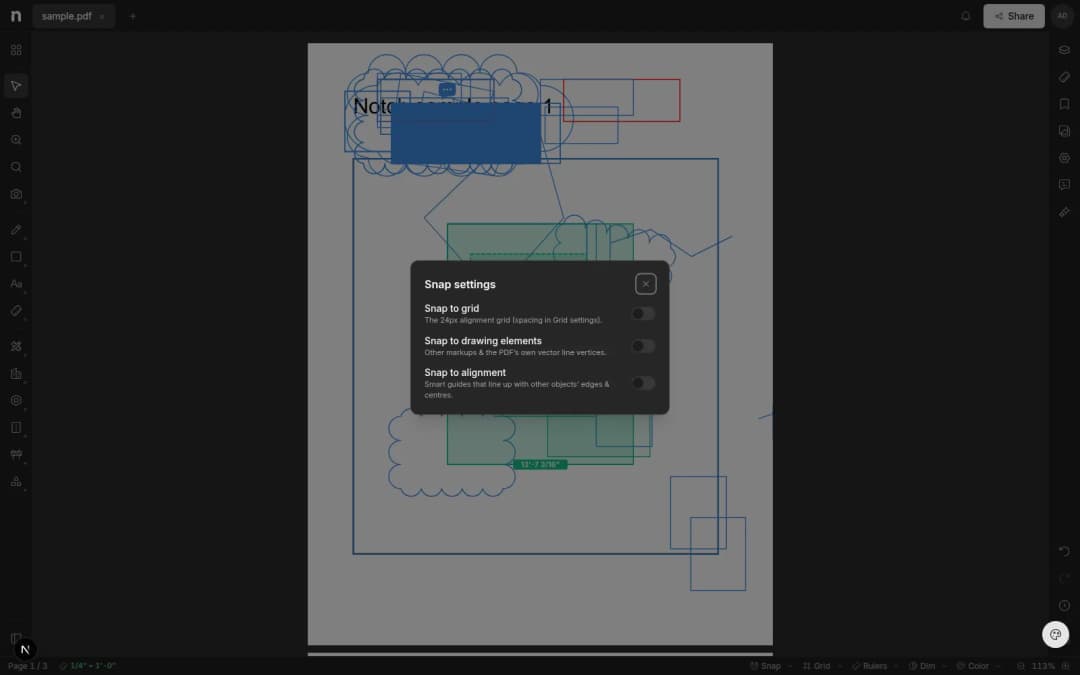
Snap to the PDF''s real linework, alignment guides, or a page grid — while you draw, move, and resize. Precise takeoffs without zooming to 800%.
- Written by
- Notch Team
- Published
Snapping has been rebuilt, with three modes you can mix and match. The point of all of them is the same: your points land where you meant them to without zooming to 800% first.
Snap To The Drawing Itself
Turn on drawing element snapping and the cursor grabs the actual linework in the PDF — wall corners, gridline intersections, the true end of a beam. It also catches the corners of markups and measurements you've already placed.
Alignment Guides
Guide lines appear as you line up with the edge or centre of nearby objects, the way they do in Figma or your CAD tool.
A Page Grid
A page-locked grid, with spacing, colour and opacity you set to suit the sheet.
All three work while you draw, move and resize, and they apply to measurements as much as markups. Trace a wall for a length takeoff and the points land on the wall rather than two pixels off it. The toggles are in the Snap control at the bottom of the editor.
Something missing, or something broken? hello@notch.build.
Notch is the modern cloud workspace for construction teams — markup, measure, compare and share, right in the browser. Start for free.
— The Notch Team