Organizing with layers
Group markups and measurements by trade or review round, and control what's visible.
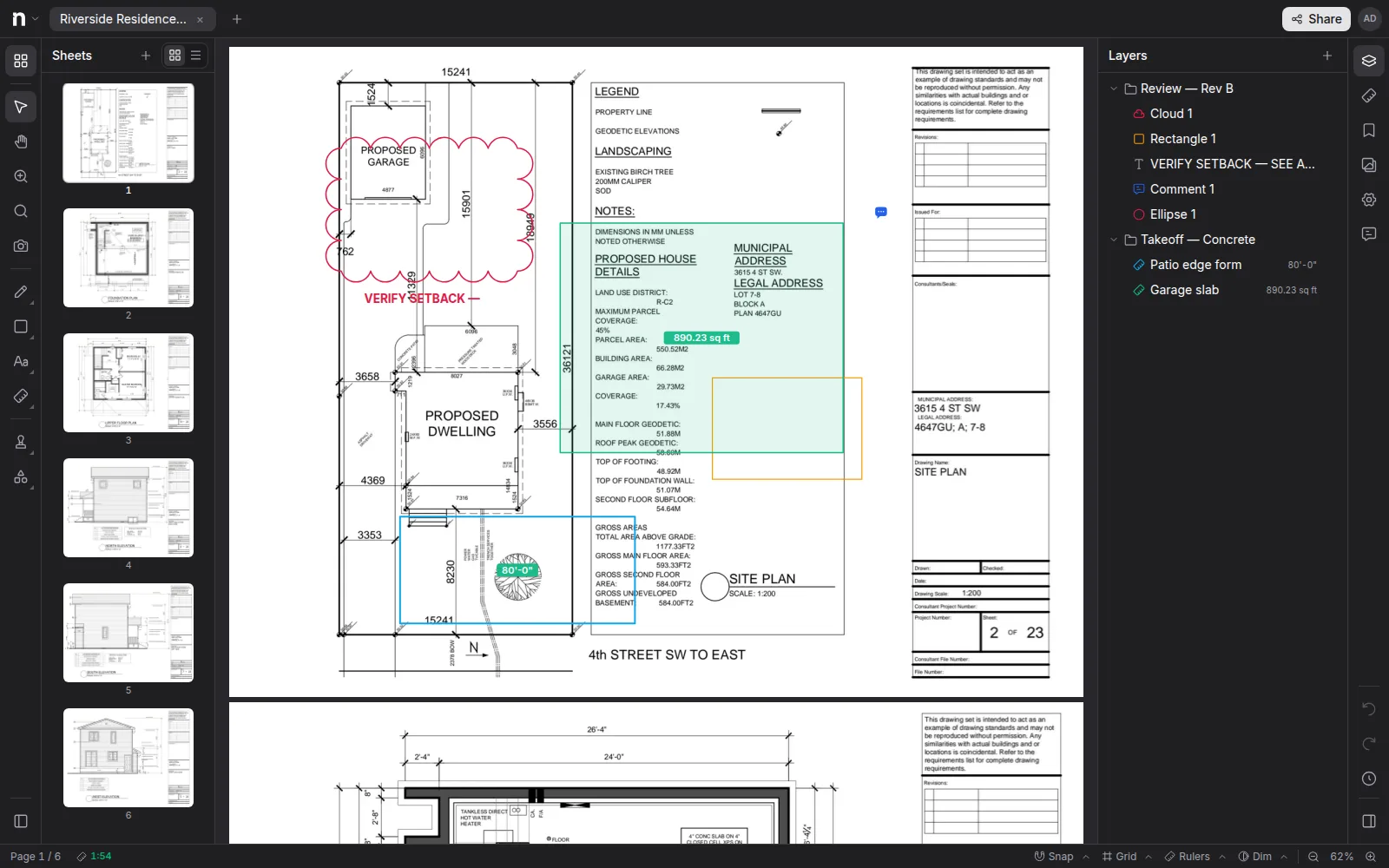
Every markup and measurement in Notch sits on a layer. Layers are how a marked-up set stays readable: one per trade, per review round, or per author, each toggleable on and off.
The Layers panel#
Open Layers in the right sidebar to see everything on the document, grouped by layer. Add a layer with the + in the header, click any item to select it on the canvas, and delete selected items from the header.
Measurements and page overlays nest under layers too — a takeoff or a revision overlay can live on its own layer just like markups.
Visibility is yours#
The eye toggle hides or shows a layer — for you. Visibility is per person, so hiding the electrical layer to read the structural markups doesn't change what your teammates see.
Patterns that work#
- One layer per trade during takeoff, then group the Measurements panel by layer for per-trade totals.
- One layer per review round (Rev A comments, Rev B comments) so old rounds can be hidden but never lost.
- A layer for revision overlays, shown only while comparing.
Choosing a layer#
Select any markup or measurement and set its layer in the Properties panel — that's also how you move existing work onto a newly created layer.