Managing your team
Invite teammates, choose roles, and understand editor seats versus free viewers.
Your workspace is the tenant: teammates join it once and see its projects and documents. Members are managed in Workspace settings → Members (owners and admins only).
Inviting teammates#
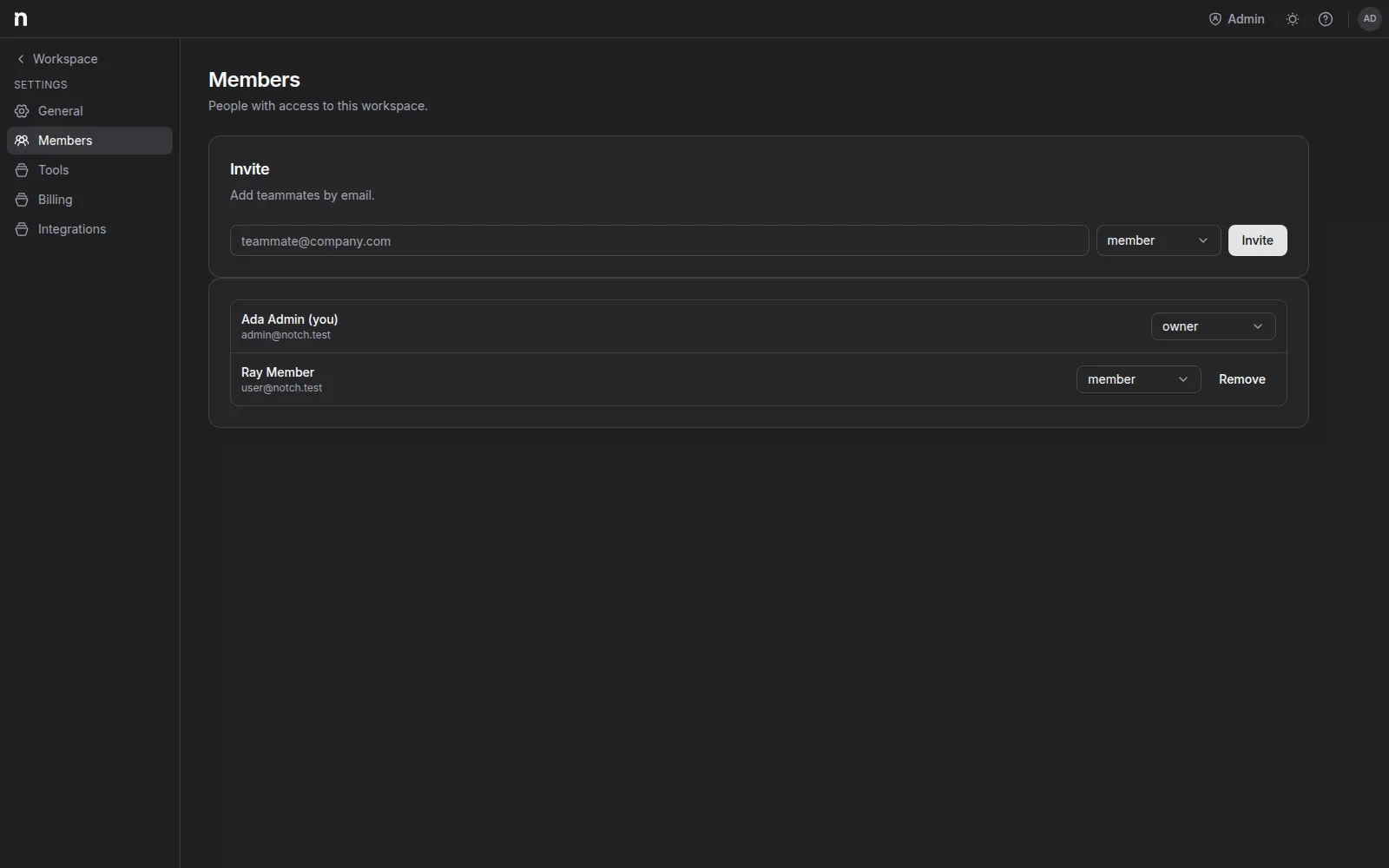
Invite by email and pick a role. The invite sends an email and also gives you a copyable invite link — send it over whatever channel you like. Invites expire after 7 days and can be revoked while pending.
Roles#
- Owner — everything, including billing and member management. A workspace always keeps at least one owner; promote someone else before demoting the last one.
- Admin — manages members, billing, workspace settings, integrations, and the shared tool library. Full editing.
- Member — the working role: full editing on all workspace documents.
- Viewer (free) — read-only seat: opens any document, follows along, and uses chat, but can't edit. Viewers are free and don't count toward billing.
Change a role or remove a member from their row in the Members list.
Seats and billing#
Owners, admins, and members are editor seats — that's what Pro is priced on. Viewers are free, and so are document guests (outside collaborators invited to a single drawing — see Sharing a document).
Seat changes sync to billing automatically: add a member mid-cycle and the subscription quantity adjusts; downgrade someone to Viewer and it adjusts back. Details in Plans & billing.